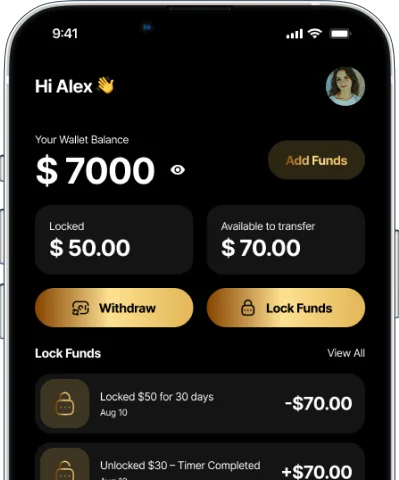
Locks can’t be changed or cancelled
Your timer can’t be edited once a Lock is created, and a started Lock can’t be canceled.
How it works
Set money aside, choose how long to hold it, and let TimeVault keep it out of reach until your goal is due.
Download TimeVault from the App Store or Google Play and set up your TimeVault profile. You’ll need to be at least 18 (or the legal age in your jurisdiction) and provide accurate information.
Connect an eligible payment method and deposit funds, subject to supported availability. Card payments are processed through Stripe, and your full card details are never stored on our servers.
Select how much to lock and how long you want to commit to saving. Once your Lock starts, the timer can’t be changed or cancelled, and it keeps running even when the app is closed or your phone is off.
When your timer reaches its end time, your Lock is complete and your money becomes available according to the app’s terms. If notifications are on, TimeVault lets you know — then you can withdraw to your linked bank account.
Walkthrough
Watch TimeVault in action — from adding funds to the moment a Lock completes.
Good to know
Your timer can’t be edited once a Lock is created, and a started Lock can’t be canceled.
Closing the app or turning off your phone doesn’t pause a Lock — it runs to its scheduled end time.
Use separate Locks for rent, a vacation, textbooks or a night out — each with its own timeline.
Early unlock may be offered under specific in-app conditions and isn’t available in all regions. Read Terms §5.
Get started
Download TimeVault, or join the waitlist for launch and product updates.
TimeVault waitlist
Be among the first to hear about TimeVault’s launch and product updates.